Spot every threat first. Trigger invisibility automatically.
Pyx combines zero-latency passive packet detection, Easy Gank Mode (automatic R invisibility or Q + R combo on player entry), full T1–T8 resource & dungeon overlays, and a clean Windows desktop launcher with single-PC HWID licensing.
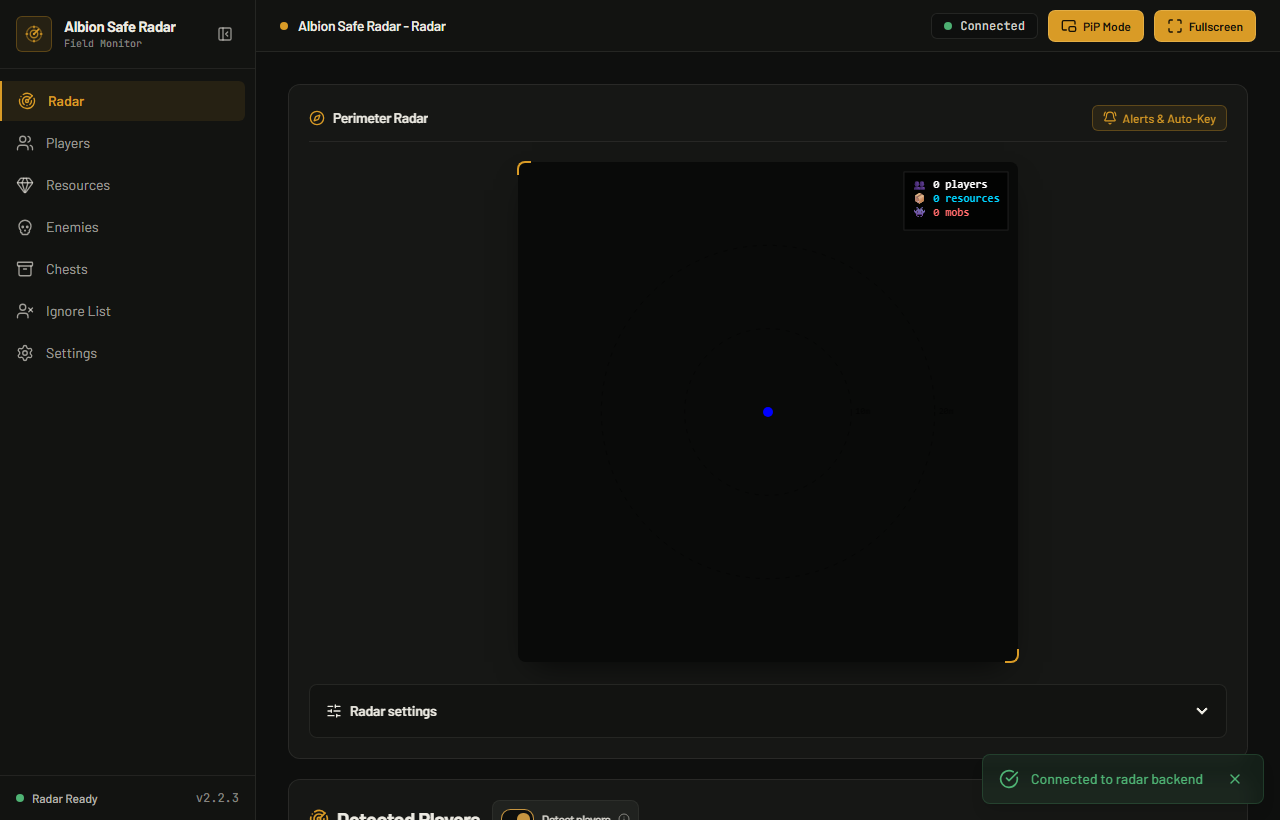
Easy Gank Mode — Instant Auto-Invisibility on Sight
Never get caught off-guard while gathering or roaming Red & Black Zones. The millisecond Pyx detects another player entering your range, it sends a hardware-level key press straight to Albion Online — popping your invisibility jacket or escape combo before they even render on screen.
- Zero-latency priority pipeline: player spawn events bypass frame batching for immediate reaction.
- Red & Black Zone smart filters: choose whether to trigger on Passive, Faction, or Hostile players — Ignore List allies are always excluded.
- Instant or Humanized timing: fire immediately or add a natural 150–500 ms randomized delay, with automatic one-shot disarming.
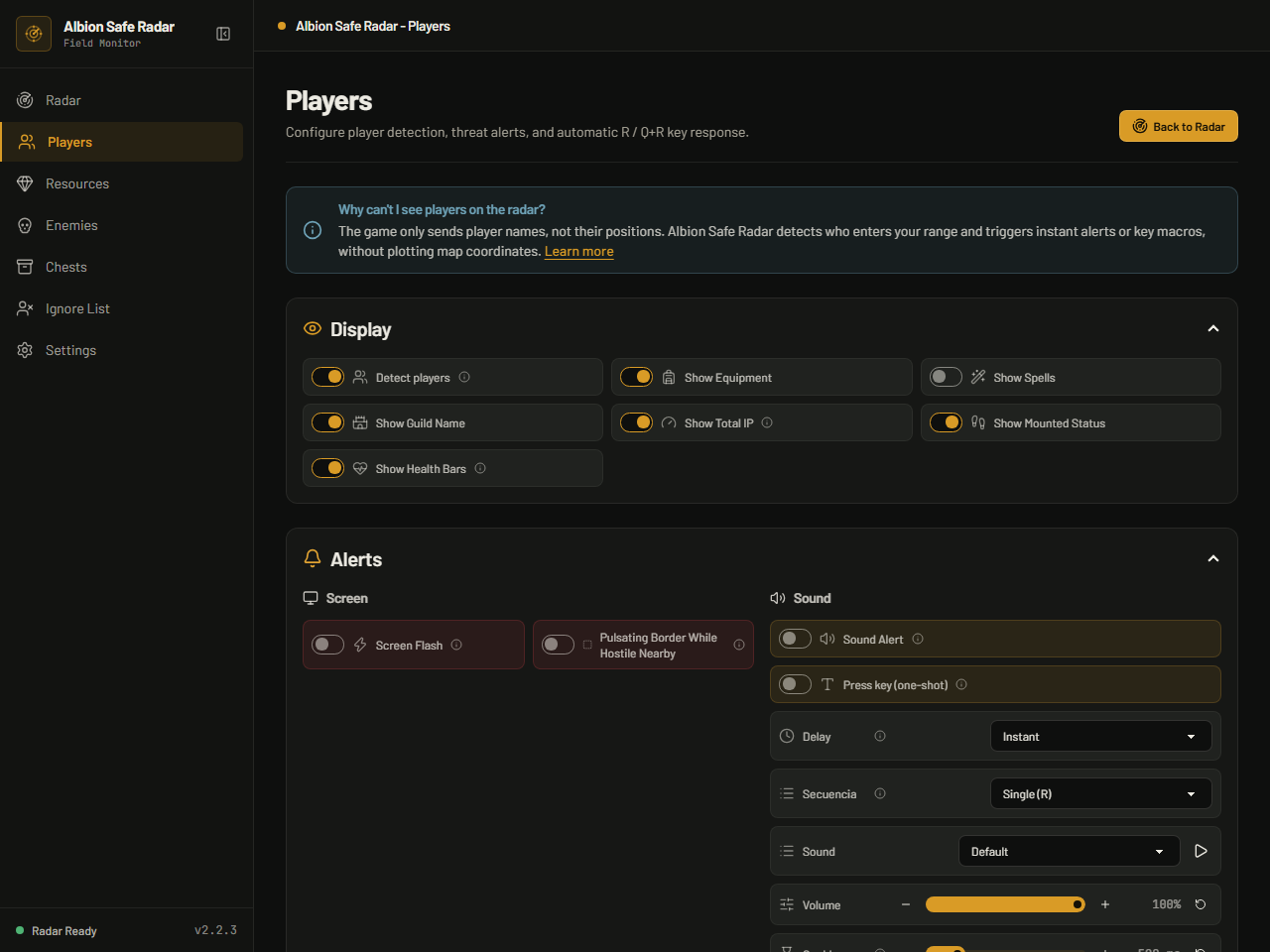
Everything Inside Pyx
Built for clarity during long sessions in lethal zones — every screenshot below is captured directly from the live application.
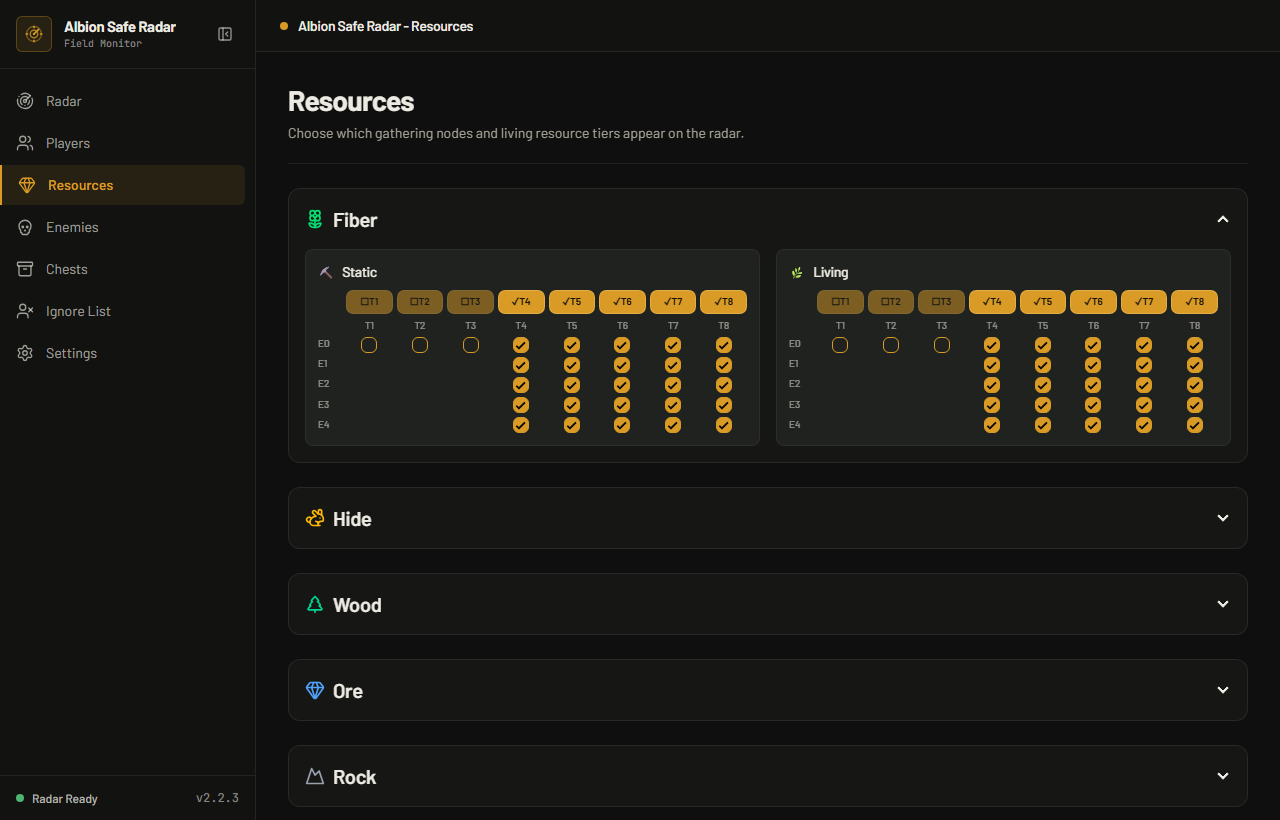
Precision Gathering, Chests, Mists & Mobs
Filter Fiber, Hide, Wood, Ore, Rock, and Fishing Pools down to the exact Tier (T1–T8) and Enchantment (E0–E4) for both static nodes and living resource creatures. Track Green/Blue/Purple/Gold chests, Mists Wisps, Knightfall Abbey portals, Dungeons, and Boss HP filters without clutter.
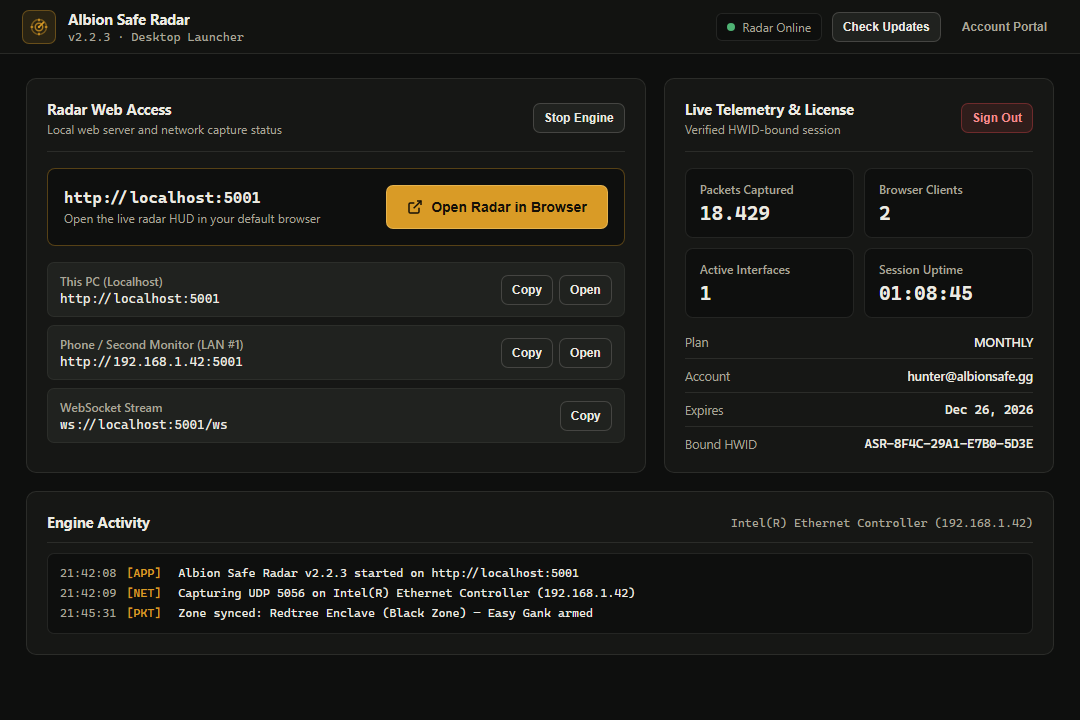
Clean Desktop Launcher & View on Any Device on the Same Wi-Fi
No ugly black terminal windows. Launch Pyx from a sleek native Windows interface that validates your single-PC HWID license and installs signed updates automatically. Want to keep your main monitor 100% clean? Open the live radar from any other device connected to the same Wi-Fi network — phone, tablet, iPad, or second laptop — directly in its browser using the local LAN URL shown in Pyx, with zero extra apps to install.
Simple, Transparent Pricing
Try Pyx free for 4 hours directly inside the desktop launcher (1 free trial per PC, no card needed). When ready, unlock full access with instant Stripe checkout and automatic email delivery.
Download Pyx Desktop Launcher
Download Pyx.exe, start your 4-hour free trial in one click (1 per PC) or paste your license key, and view the live radar on your PC or any other device on the same Wi-Fi.
Pyx Desktop Launcher (Windows x64)
Requires Windows 10/11 and Npcap. Includes built-in signed auto-updater and HWID activation.
Account & License Keys
Copy your key into Pyx.exe to bind your PC and launch the radar.
Your License Keys
Download Desktop Launcher
Run Pyx.exe, paste your license key, and click "Open Radar in Browser".
Admin Control Center
Configure Stripe payments, SMTP mailing, pricing plans, HWID licenses, and auto-updater releases — no server restarts needed.
Generate License Keys
Manage Licenses
Stripe Checkout Configuration
Paste your Stripe keys below and click Save. In your Stripe Dashboard (→ Developers → Webhooks), add this endpoint for event checkout.session.completed: